


Desktop App Development Services
- Desktop application development services for the complex internal workflows your team depends on daily
- Outdated business applications modernized for better speed, stability, and a longer operational life
- Custom desktop app development that connects your business systems, databases, APIs, and hardware


Types of desktop applications we develop
The right desktop application depends on the problem you're solving. These are the main types we build, from internal tools to hardware-connected systems.
A free consultation can help you scope the work, choose the right platform, and avoid the costly rebuilds that come from deciding too late.
Brands we work with





Our desktop application development services
Windows desktop app development
Native Windows applications built on C# and .NET. We target current Windows versions, work within the Visual Studio toolchain, and deliver software that fits naturally into a Microsoft-centered IT environment your administrators already know.

Cross-platform desktop app development
One codebase running across Windows, macOS, and Linux. We use cross-platform frameworks to get consistent behavior on every operating system from a single development effort, which keeps both build time and maintenance down.
Custom desktop app development
Custom desktop app development built around your specific workflows, integrations, and operational needs. We shape the software to match how your business runs day to day, so the tool reflects your actual process and the way your team works.
Legacy desktop app modernization
Legacy app modernization for older desktop software that still does important work. We refactor, port to a modern framework, or rebuild from the ground up, keeping the logic that works while upgrading the stack, security, and interface to current standards.
API and system integrations
Connecting your desktop application to your other business systems through clean, well-documented APIs. API development on the desktop side, plus the testing and monitoring that keep those integrations stable as the systems on both ends keep changing.
Desktop app testing and support
Quality assurance across functional, performance, security, and integration testing. After release, we handle the bug fixes, version updates, and compatibility patches that keep the application dependable as operating systems and dependencies move on.
Looking for a custom software solution that helps your business run more efficiently?
Our desktop app development process
Our development processes run from discovery to deployment, with clear communication at each stage. Every step ends with something you can review before we move on.
Why choose Asabix as your desktop application development company?
They trust us


They demonstrated an impressive level of expertise in web development. They flawlessly executed complex functionalities and integrated custom features to meet our specific needs. The website they created functions seamlessly and aligns with our brand identity.


As a satisfied customer, I highly recommend Asabix to any organization seeking top-notch software solutions. With Asabix, you can rest assured that your expectations will be surpassed.


_80_80.webp "Etnodim")


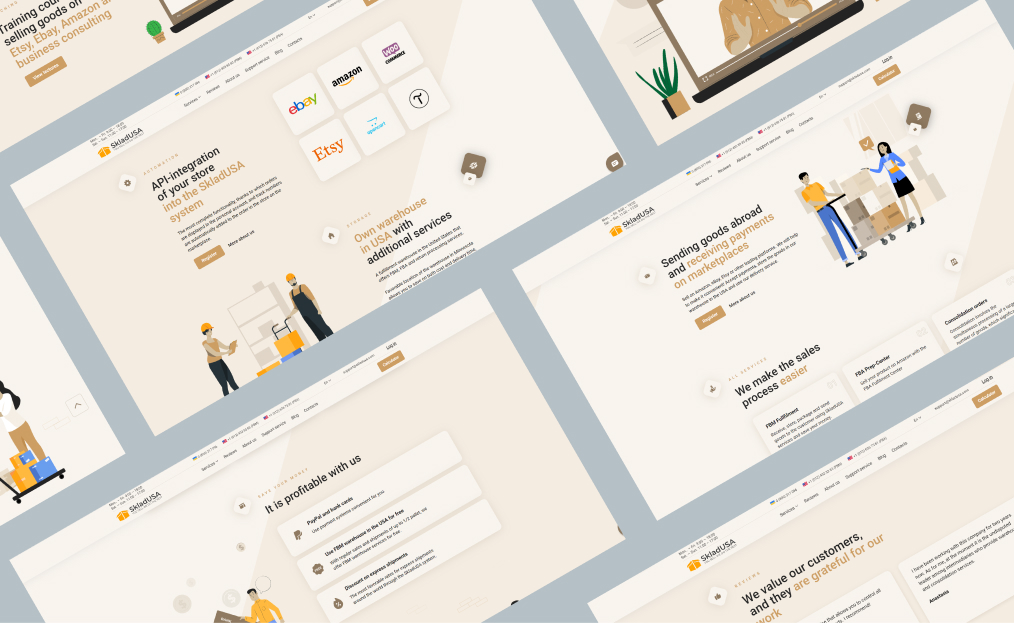
We run cross-border logistics, fulfillment, tracking, integrations, and a lot of moving parts. The system had to support real operational complexity.
Communication has been consistent, deadlines are generally respected, and when issues come up (because in tech they always do), they stay involved until things are resolved.
The SkladUSA system continues to evolve, and Asabix has been a reliable partner in that growth.


_4056_2492.webp "Desktop App Development Services - Picture №32")
.webp "Desktop App Development Services - Picture №34")
.webp "Desktop App Development Services - Picture №37")
.jpg "Desktop App Development Services - Picture №38")
.webp "Desktop App Development Services - Picture №41")
-(1).jpg "Desktop App Development Services - Picture №43")
.webp "Desktop App Development Services - Picture №44")
.jpg "Desktop App Development Services - Picture №45")


We work using
the best technologies
Frequently Asked Questions
What is desktop application development?
Desktop application development is the process of building software that is installed and runs locally, the way Excel or a POS terminal does. We build them for Windows, macOS, and Linux. Teams usually go with a desktop app for three reasons: real performance, reliable use when the connection drops, and a direct line to hardware like scanners or lab equipment.
How long does desktop app development take?
The timeline depends on the scope. Small, single-purpose tools we've delivered in three or four months. Larger applications that require several integrations and complex business logic tend to take around six to nine months before they're stable enough for real users.
How much does desktop application development cost?
Price depends on the scope and complexity of the application. A small, single-purpose tool can be built relatively quickly. Once you add several integrations, hardware support, or custom reporting, the effort grows. The most accurate estimate comes after a short scoping call, where we define what the application should do, which systems it should connect to, and what level of functionality you need.
Can you build desktop applications for Windows, macOS, and Linux?
Yes, we work with all three. Either a separate native build per platform or one shared codebase covering Windows, macOS, and Linux through a cross-platform framework. We decide based on how much native performance you need and how closely the app has to integrate with each system.
How can desktop application development help reduce manual work and operational errors?
Mainly by removing the manual steps where mistakes tend to happen. Re-keying data between systems, copying figures across spreadsheets, and similar repetitive work. The application handles those, validates entries as they're made, and keeps the whole team working from the same data.
How do you ensure desktop application security and data protection?
Security is built in at the foundation. The baseline comes first: security protocols, encrypted audit trails, encrypted backend connections, and whatever specific controls your compliance team requires.
Do you provide maintenance and support after launch?
Yes, after launch, we handle bug fixes, OS updates, security patches, and new features as they come up. Many clients stay on a retainer, so someone who already knows the codebase is available the next time something needs changing.