




Content:

Published: 19.05.2026
Views: 685
A modern factory has hundreds of moving parts. Raw materials come in through one dock while finished goods leave through another. Production lines run around the clock, and somewhere in an office, someone is working out whether next week's orders can actually be filled with the stock currently on hand. For decades, holding that picture together meant paper forms, constant phone calls between departments, and a handful of systems that did not talk to each other. Most established manufacturers have moved past that approach.
A manufacturing enterprise resource planning (ERP) pulls these activities together onto a single platform. Inventory, scheduling, finance, quality, and customer orders all live in one database. When information stops drifting between disconnected systems, margins start to improve, delivery commitments hold up better, and the manufacturing business gains a clearer picture of its own performance.
The market reflects this shift. Gartner's research shows the worldwide ERP market grew 11.3% to $66 billion in 2024. Within that broader market, manufacturing ERP demand continues to grow on the back of Industry 4.0 investments, cloud migration, and the shift toward AI-enabled platforms.
This guide covers what manufacturing ERP software is, where it delivers value, the features that matter, your deployment options, and how to select a system that fits your business.
What Is Manufacturing ERP?
A manufacturing ERP is enterprise resource planning software designed for companies that produce physical goods. A generic platform might handle accounting and HR for a services firm, but a manufacturing ERP system needs to do more. It must handle bills of materials, shop-floor routings, work orders, machine capacity, and lot genealogy, all of which determine whether a product ships on time.
In simple words, when sales enters an order, the platform checks current stock, then plans the production run, allocates materials, schedules the work, sends a flag to purchasing if anything is short, and posts the result to finance once shipment goes out. The same number no longer lives in three different spreadsheets that disagree with each other.
Modern manufacturing ERPs use a modular architecture. Companies activate the modules they need at the start (inventory management, accounting software, CRM, quality, planning) and add others as the business grows. This matters in the manufacturing sector, where many companies scale from a single facility to multi-site operations within a few years.
For manufacturers with standard workflows, a ready-made ERP platform may be enough. But many production companies still need custom logic for routing, reporting, legacy integrations, or compliance. ERP development companies like Asabix help adapt the system around real operations through custom modules, integrations, data migration, or full-scale ERP development.
MRP vs. ERP: What's the Difference?
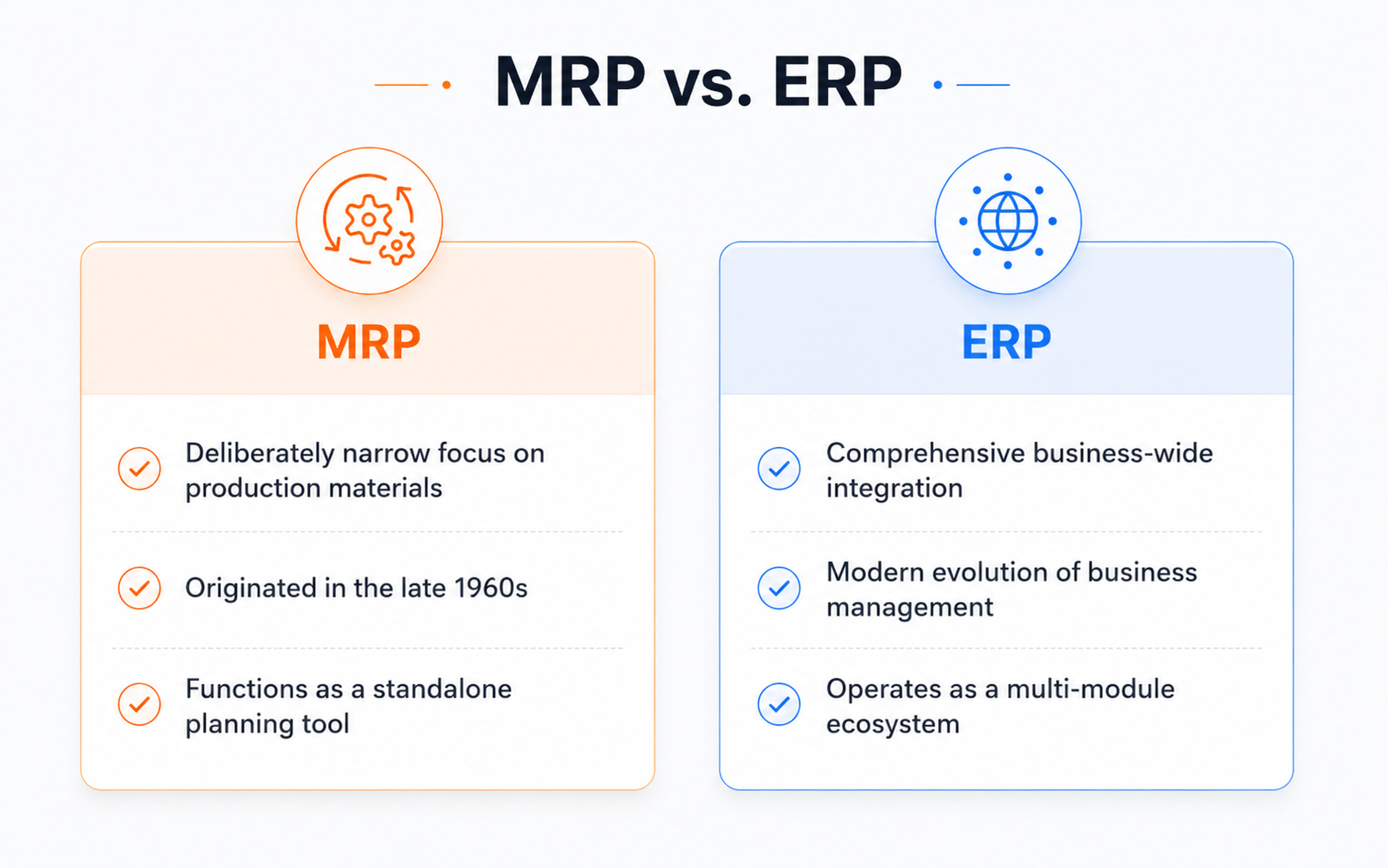
People mix these two up all the time, even inside manufacturing teams that should know better. MRP stands for Material Requirements Planning, and it came first, dating back to the late 1960s. The scope was always deliberately narrow. Given what a factory needs to produce next month, MRP answers a fairly specific question for the planner: which materials have to be ordered, and when do those orders need to go out so production does not stall. That was essentially the entire job.
Benefits of Manufacturing ERP
Deloitte's research found that 92% of manufacturing executives believe smart factory solutions will be the primary drivers of competitiveness over the next three years, up from 86% in 2019. Let’s look at the main ways manufacturers benefit from ERP implementation.
Increased operational productivity
When data moves automatically between departments, a lot of the daily friction inside a plant simply disappears. The planner no longer needs to email the warehouse to confirm stock, and a sales rep does not have to call the floor to check whether an order is on time. McKinsey's research finds that manufacturers applying machine learning to operational data are roughly three times more likely to improve their key performance indicators. The hours that get reclaimed go back into productive work, and operational efficiency climbs as a side effect of cleaner data flowing across the business.
Reduced risk
Manual processes fail in quiet ways that go unnoticed for weeks at a time. A number that got entered incorrectly, a purchase order that nobody actually logged, a compliance signature that never made it onto the form. With a manufacturing ERP system handling those transactions, every action is recorded with a timestamp, a user ID, and the BOM revision it was tied to. Audits become routine procedures, recall response times shorten considerably, and operational risk shifts from sitting in individual people's memory to sitting in a central record everyone can query.
Lowered costs & waste
Cost reduction tends to come from several places at once rather than one big lever. Demand forecasting gets sharper, which means less working capital is tied up in excess inventory. Real-time machine data reduces the amount of unplanned downtime that hurts throughput. Better quality control means fewer defects, less rework, and lower scrap rates over time. A Forrester Total Economic Impact study commissioned by Sage found a 213% three-year ROI for a composite manufacturing organization deploying Sage X3, with $2.4 million in benefits against $756,000 in costs and roughly $1.6 million in net present value.
Higher customer satisfaction
Customers care about receiving the right product, on the right day, in the expected condition. A solid ERP for manufacturers solution supports that outcome through accurate ship dates, fewer line errors, and faster issue resolution.
AI and automation readiness
Predictive maintenance, smart scheduling, anomaly detection, and demand sensing all depend on clean, connected operational data. Deloitte has also found that 78% of manufacturers report their AI initiatives are now part of an overall digital transformation strategy, with 55% of industrial product manufacturers already using generative AI tools in some part of their operations.
Key Features of Manufacturing ERP Systems
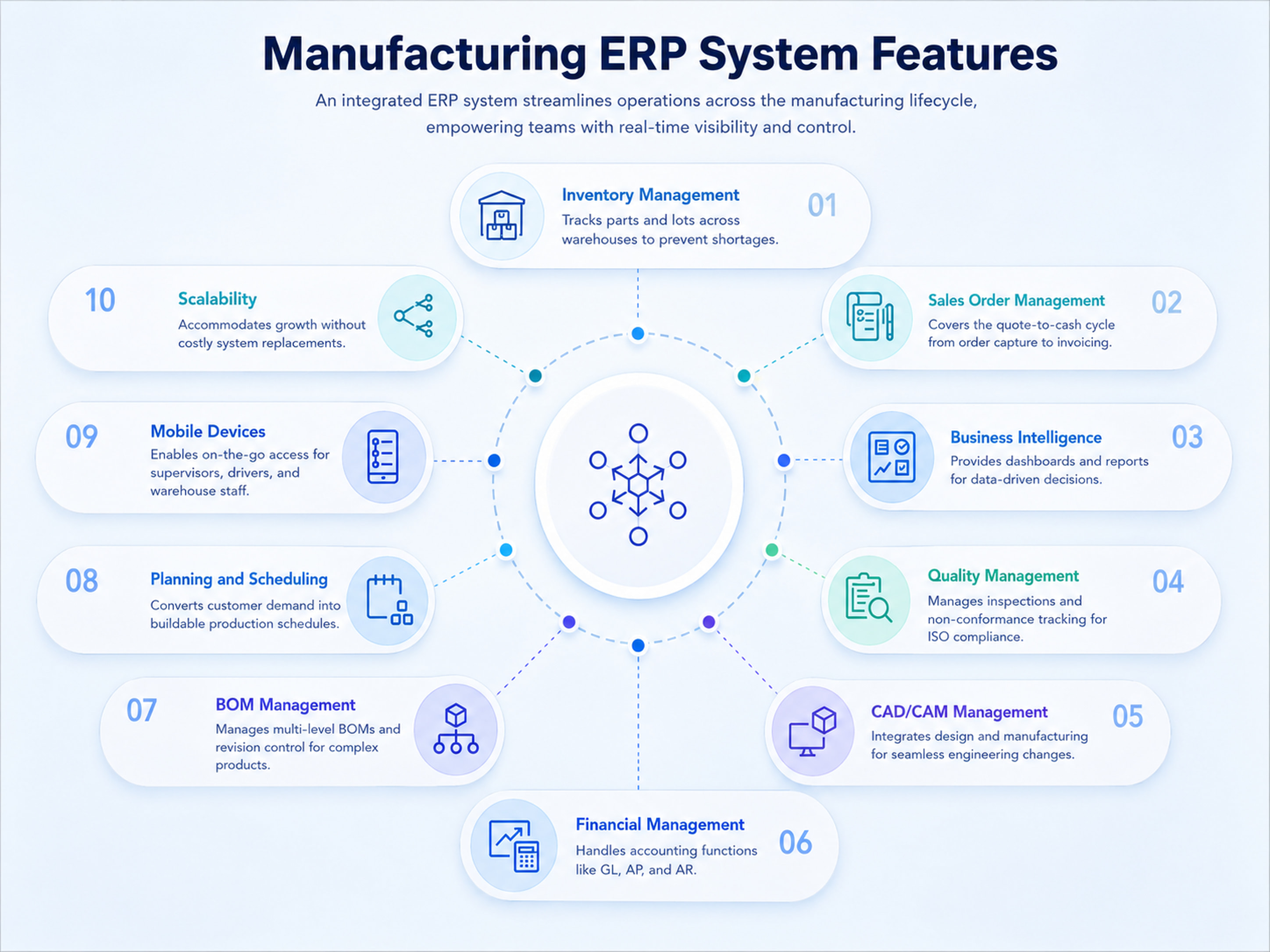
The key features of manufacturing ERP vary between vendors, although most credible ERP platforms cover the same core ground.
Inventory management
Inventory management is often where manufacturers feel the most acute pain. The ERP tracks every part, lot, and serial number across multiple warehouses, identifies shortages before they affect production, and supports reorder decisions in real time across the supply chain.
Sales order management
The sales order module covers the full quote-to-cash cycle. Orders are captured, credit and availability verified, work pushed into planning, and fulfillment tracked through to invoicing.
Business intelligence
Most ERP tools include dashboards and reporting as standard. Gross margin by product line, on-time delivery, scrap rates, and plant utilization are visible at a glance. Better packages let non-technical users build their own views without filing IT tickets.
Quality management
Inspections, non-conformance tracking, supplier scorecards, and CAPA workflows live within the ERP. A manufacturing ERP consolidates these records, which simplifies the response when an ISO auditor visits.
CAD/CAM management
For engineering-driven manufacturing companies, design and manufacturing must stay synchronized. Modern ERP software for manufacturing integrates with CAD/CAM packages so engineering changes propagate to production without manual re-entry.
Financial management
Built-in accounting software covers GL, AP, AR, fixed assets, multi-currency, and tax. Because the financial module shares data with operations, the cost of goods sold reflects actual shop-floor activity rather than month-end estimation.
Bill of materials (BOM) management
Multi-level BOMs, revision control, where-used reports, and effectivity dates are standard. For complex products, BOM management quickly becomes indispensable.
Planning and scheduling
Production planning and scheduling separate a real manufacturing system from a basic accounting package. Finite capacity planning, what-if scenarios, MRP runs, and shop-floor sequencing convert customer demand into a buildable schedule.
Mobile devices
Modern ERP platforms run on phones and tablets, which lets supervisors approve work orders on the floor, drivers confirm deliveries on the road, and warehouse staff update stock without returning to a desktop.
Scalability
A two-plant manufacturer today may operate ten plants in five years. A scalable ERP platform absorbs that growth without forcing a costly system replacement mid-cycle.
Types of ERP Deployment
The right deployment model depends on budget, IT capability, regulatory requirements, integration needs, and the level of customization the business expects. Cloud, on-premises, two-tier, and hybrid ERP models can all work well when they match the company’s production model, data requirements, and long-term growth plans.
| Model | Upfront cost | Update control | Best fit |
| Cloud ERP | Low | Vendor-managed | Most new deployments, multi-site manufacturers |
| On-premises ERP | High | Customer-managed | Highly regulated industries, strict data sovereignty |
| Two-tier ERP | Mixed | Mixed | Large corporates with autonomous subsidiaries |
| Hybrid ERP | Mixed | Mixed | Long migration projects, mixed compliance profiles |
Cloud ERP
Cloud ERP software is hosted by the vendor and accessed over the internet. Upfront costs are lower, updates follow the vendor's schedule, and on-site infrastructure is unnecessary. Gartner reports that more than 80% of ERP components are now delivered from the cloud rather than on-premises, with the share continuing to climb each year. For most newer manufacturers, cloud-based ERP is the practical default.
On-premises ERP
On-premises ERP runs on company-owned servers behind the corporate firewall. Upfront costs are higher, but the business gains stronger control over data, infrastructure, customization, and uptime. It can also reduce dependence on monthly per-user subscription fees, especially for custom or self-hosted ERP systems. Defense and specific pharmaceutical segments often prefer this model for compliance and data control reasons.
Two-tier ERP
A two-tier setup is common in larger organizations. Corporate headquarters runs a centralized enterprise resource planning software stack, while subsidiaries and smaller plants run a lighter industry-specific ERP that integrates upward. The structure delivers standardization at headquarters and flexibility at the edges.
Hybrid ERP
A hybrid model combines cloud and on-premises deployment, often during a long migration project. Sensitive workloads remain in-house, while less critical functions move to the cloud.
ERP for Different Manufacturing Industries
Manufacturing is not a single industry. A bakery and a jet engine producer share little operational common ground, which is why industry-specific ERP exists. Generic systems often underperform in specialized manufacturing industries. According to Gartner, revenue in manufacturing-specific ERP components grew 10.5% in 2023, driven by demand for the vertical depth that horizontal platforms struggle to match.
Aerospace and defense (A&D) manufacturing
Aerospace and defense depend on traceability and compliance. AS9100, ITAR, and full lot-and-serial genealogy are baseline requirements. The ERP must track every component back to its source, sometimes for decades.
Automotive manufacturing
Tight tolerances, just-in-time delivery to OEMs, IATF 16949 quality standards, and pervasive EDI define the operating environment. Automotive-focused manufacturing ERPs emphasize sequenced production and supplier integration.
Chemical manufacturing
Recipes replace bills of materials, and batch and continuous processes coexist. Hazardous material handling, regulatory reporting under REACH and OSHA, and shelf-life tracking are essential. Process-focused platforms handle these requirements as standard functionality.
Apparel manufacturing
Style, color, and size matrix variants combine with seasonal demand swings and long global supply chains. Apparel-oriented manufacturing ERPs handle the SKU complexity that overwhelms most other platforms.
Food and beverage (F&B) manufacturing
Food and beverage adds expiry dates, allergen tracking, lot recalls, and labeling regulations that change frequently. Catch weight, yield variances, and traceability are non-negotiable.
Industrial manufacturing
Industrial manufacturing covers a wide range, from heavy machinery to industrial pumps. Long lead items, engineer-to-order workflows, deeply nested BOMs, and significant after-sales service revenue are typical.
How Do You Know When Your Business Is Ready for an ERP System?
Several signs indicate that a company has outgrown its current systems:
- Disconnected tools. Operations run across five or six separate applications, with the same data entered into each one.
- Lengthy month-end close. Departments reconcile their own spreadsheets in isolation, stretching over weeks.
- Inventory blind spots. Real-time stock visibility is unreliable, leading to overbuying or stockouts.
- Guesswork on delivery dates. Commitments rely on estimation rather than capacity-based calculation.
- Reports outpace decisions. The team produces more analysis than it acts on.
When two or three of these match, the business is ready for a manufacturing ERP. The challenge is not recognizing the need but building the internal business case and selecting the right ERP implementation partner. Companies that delay this transition typically pay twice: first in growth opportunities they cannot capture, then in a rushed deployment under pressure.
How to Choose the Best Manufacturing ERP
Before building a feature comparison spreadsheet, identify the processes causing the most measurable harm today: margin loss from scrap, missed ship dates, compliance overhead. Whatever sits at the top of that list belongs at the top of the manufacturing ERP requirements document, because that is where ROI is generated. To make that business case more concrete, manufacturers can use an ERP ROI calculator to estimate how process improvements may affect costs, productivity, and payback time.
Next, narrow the field to vendors with verifiable experience in your industry. References matter more than demos. Ask each manufacturing ERP vendor for three reference customers similar in size and segment, then contact them about cost overruns and post-launch issues. Evaluate the total cost of the manufacturing ERP system across a five- to seven-year horizon.
Useful types of manufacturing ERP evaluation criteria include:
- Depth of ERP features for your specific production processes
- Quality of the partner ecosystem and local implementation expertise
- Mobile experience for shop-floor and field users
- Reporting flexibility for non-technical users
- Upgrade handling and backward compatibility
- Total cost of ownership, including licenses, training, integrations, and support
The case for getting the planning right is well-documented. Deloitte research also shows that 74% of business leaders see digital transformation as the single most important investment their organizations can make, though successful outcomes depend heavily on disciplined execution upfront.
Customization vs. out-of-the-box solutions
Out-of-the-box ERP systems work well when standard software logic fits the business. But many manufacturers have specific production workflows, legacy integrations, approval rules, or reporting needs that ready-made platforms cannot cover without workarounds.
A custom ERP is built around the company’s real operations instead of forcing teams into vendor-defined processes. When developed on a clear architecture and widely used technologies, it remains scalable, maintainable, and easier to support over time. Asabix helps manufacturers design ERP systems that match their workflows, connect with existing tools, and grow with the business.
Future Trends in Manufacturing ERP
Here are some of the main trends that are changing what ERPs can do in the next few years:
- Generative AI moves from pilot to production. McKinsey's State of AI 2025 report found that 88% of organizations now regularly use AI in at least one business function, up from 55% in 2023. Manufacturing is one of three sectors where McKinsey sees the largest measurable cost reductions from AI use, alongside software engineering and IT.
- Conversational interfaces. Expect ERP interfaces that respond to plain English queries such as "why did margins drop on line 3 last week?", returning answers with the data already visualized. Natural-language interaction is becoming the default way most users actually work with enterprise software.
- Edge computing and IoT. Real-time machine data flows directly into the ERP, narrowing the gap between shop-floor activity and management visibility. Deloitte's industrial research finds that 92% of manufacturers are already experimenting with or implementing at least one connected-factory use case, with executives anticipating around 12% productivity gain from those investments.
- Vertical solutions gain ground. Industry-specific ERP keeps winning share against horizontal suites because it deploys faster and aligns with industry conventions out of the box.
How Can Asabix Assist You with Manufacturing ERP Development
Off-the-shelf is not always the right fit. For manufacturers with unusual processes, legacy systems, or compliance requirements that fall outside standard packages, a custom or heavily tailored build often delivers greater long-term value.
Asabix develops manufacturing ERP systems from the ground up and extends existing ERP platforms when a full rebuild is unnecessary. The team handles requirements discovery, architecture, module-by-module development (inventory, production planning, finance, CRM, quality, BOM, scheduling), integration with shop-floor equipment and IoT devices, and post-launch support.
Whether your business needs a new cloud-based ERP tailored to your manufacturing sector, a custom module added to an existing setup, or migration from disconnected spreadsheets into a unified management software platform, the Asabix ERP development team can scope and deliver. Reach out for a discovery call.
FAQs
#0007
Manufacturing ERP FAQs
What is an ERP software system?
An ERP, short for enterprise resource planning software, is a single platform that runs the core operations and business processes of a company across finance, inventory, sales, HR, and production. Rather than maintaining separate applications for each function, the ERP keeps the entire operation on one connected database. In manufacturing, that database also covers BOMs, work orders, scheduling, quality records, and shop-floor data.
How does ERP solve manufacturing problems?
Primarily by eliminating data silos. Manufacturing pain points such as late shipments, inventory inaccuracies, surprise costs, and quality misses typically trace back to information that did not reach the right person at the right time. ERP makes that information visible across departments in real time, so issues get caught and addressed before they escalate.
How does a manufacturing ERP support sustainability goals?
A manufacturing ERP tracks the operational data behind sustainability goals: energy use, scrap rates, transport emissions, supplier performance, and water consumption. This helps manufacturers move from rough estimates to measurable insights, reduce waste across manufacturing processes, and support reporting requirements such as CSRD in Europe.
Can ERP insights improve supplier and partner collaboration?
Yes, and the impact tends to be significant. Shared dashboards, EDI integration, and supplier portals turn the ERP into a coordination layer that extends beyond the four walls of the plant. Suppliers see forecasted demand, confirm shipments, and flag delays early. Partners collaborate on engineering changes without juggling email chains. For manufacturers operating in global networks, that coordination is often one of the clearest sources of ERP ROI.

Let's discuss your project
Blog
#0000
Read more articles in our blog
What is PWA: Comprehensive Guide with Code Samples
26 Feb, 2024
Progressive Web Apps are web applications that bring best web and mobile features. PWAs are similar to native apps in functionality and can be used on any device with a web browser.
VIEW ARTICLE
-compress.jpg "What Is Manufacturing ERP Software? A Complete Guide - Picture №12")
Outsourcing and outstaff: difference and features
20 Jul, 2023
Modern companies often have a need for fast and efficient development of software and other IT projects.
VIEW ARTICLE

Website Development Costs: What to Expect
08 Jan, 2025
Are you curious about the cost of creating a website? Discover how design intricacies, advanced functionality, and the type of site you envision can impact your budget.
VIEW ARTICLE
YII vs Laravel: What is the Best Option for Your Project?
02 Jan, 2024
Thanks to technological development, it is no longer necessary to write PHP code from scratch: there are many frameworks — ready-made models, "templates" for software platforms, among which Yii2 and Laravel became the most popular. In what their difference and which of the frameworks to choose for creating a product? We tell and compare the structures in this material.
VIEW ARTICLE
